How to Play Transition
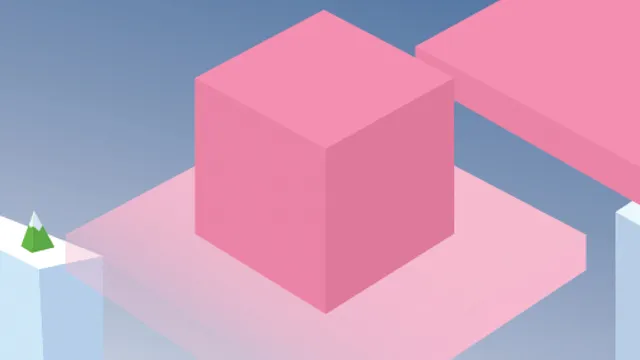
Transition gives you a small sad creature, two halves of a screen, and a rule. Touch the right side and he goes right; touch the left side and he goes left. That’s the entire control scheme. The rule is that he has to land on a platform the same color he currently is. Color matching is the whole game — the story frames it as a creature searching for his purpose, and mechanically that translates into a constant question of whether the platform below you is the one you’re allowed to be on. Black platforms are the exception you must never touch, and the run ends the moment you do.
Two pressures work against you at once. The first is the timer, which keeps the game from ever becoming a leisurely puzzle: dithering over a choice is itself a way to lose. The second is that the correct answer keeps moving, because your color and the layout below both change as you descend. What looked like the safe landing a second ago may not be safe by the time you get there. The result is a game that feels far more demanding than a two-input control scheme has any right to. It came out of the Bratislava Game Jam in 2016, where it took the Attendee Choice award, and it has the shape jam games often have: one idea, executed tightly, with nothing padded around it.
Tips to Survive Longer Drops
- Sort out the color before the position. Deciding which platforms are legal takes longer than steering to them. Read the colors as the screen scrolls, and the movement becomes almost automatic.
- Treat black as a wall, not a risk. There is no partial penalty for clipping a black platform — it simply ends things. Give them more clearance than feels necessary.
- Move in small corrections. Long presses swing you further than you expect and can carry you past a valid landing. Short taps let you fine-tune where you drop.
- Keep going when you’re unsure. The clock punishes hesitation as reliably as a wrong color does. Picking a plausible platform quickly beats picking the perfect one slowly.
Frequently Asked Questions
Is Transition free to play?
Yes. It’s free in your browser, with nothing to install.
What ends a run?
Landing on a black platform, or letting the time run out. Both stop the game, which is why hesitating is as costly as misreading a color.
Does it work with a touchscreen?
It does, and arguably better than with a mouse. The controls are just the left and right halves of the screen, so two thumbs cover everything.